Canyon Map/CalFireMap/MapTutorial
From B.E.R.T. Wiki
< Canyon Map | CalFireMap
work in progress 2-28-2018
Contents
First Page of GISKit Pro
After you start the app ( it's the golden GIS icon on the iPod's home page ) the first screen you will see is the last one loaded.
To change to different projects slide left or right

The project we're in is called LHFB-0820-02 for some reason.
The image on the right is a thumbnail, feel free to take a close look.
Inside LHFB project

One thing which is a bit annoying/useful about GISKit Pro is that it tends to display the last project and area worked on. So when Lisa and Casey started working in it they found it difficult to know where they were operating.
So they created a 'sub project' called Butano Park
We'll do our mapping in that 'sub project.'
Click on the thumbnail for a closer look. This image was recorded while editing data in Wendy's Corner.
Map Layers
The picture you see above is actually a number of different layers. There is the idea of a 'base map' with our annotations ( 'features' ) laying above the base map.
GISKit Pro has a number of different base maps. As luck would have it they are almost all a little wrong too. Here are a few.
click on the thumbnail to get a larger view
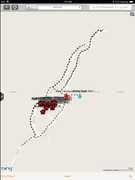
Bing Street
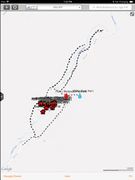
Google Street
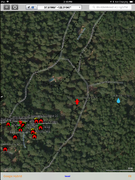
Google Hybrid
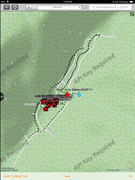
Open Cycling/Topo


There are others! They are all a little off. The only one we can probably change is the Open Street Map layer, but we're having trouble loading that in for some unknown reason but the URL was wrong and has been fixed.
Additionally there should be a way to load in the Water Company / Joan's map, but it's not working. We think we need to get Ari to apply an update.
A little zoomed in
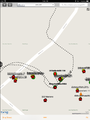
Wendy's Corner
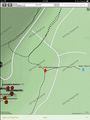
Country Club


as you can see not everything lines up. Also the base map may be just wacked out - such as the base map under Wendy's Corner. The street is totally wrong.
Ari's crew cleans this stuff up, we think, using another program called ArcGIS
TODO adding Lot info
there are some mandatory fields for each type of thing one can add.
placing a 'Feature'
use the GPS coords to land, then move to proper place manually
adding the info
order is annoyingly important
TODO: adding a photo
yes you can add photos to the system! so photograph the hydrant!
TODO: sending to Ari
export as KML on the tablet, then use the options to share it. feel free to send a copy to yourself or [email protected] or [email protected] so we can use this info ourselves.